



Whether the Upwork availability badge is worth it depends on what your profile does without it. The badge makes a profile that is already being found look more ready to hire. It doesn’t get a profile found.
That is also the honest answer for boosting your profile, so this post covers both, and ends with a way to test either one on your own numbers instead of trusting anyone’s opinion, including ours.
What the badge does
It puts an “Available now” label on your profile. Upwork’s help pages say it shows on your profile, in search results and in the recommendations clients get, and that clients can filter for freelancers who are available now.
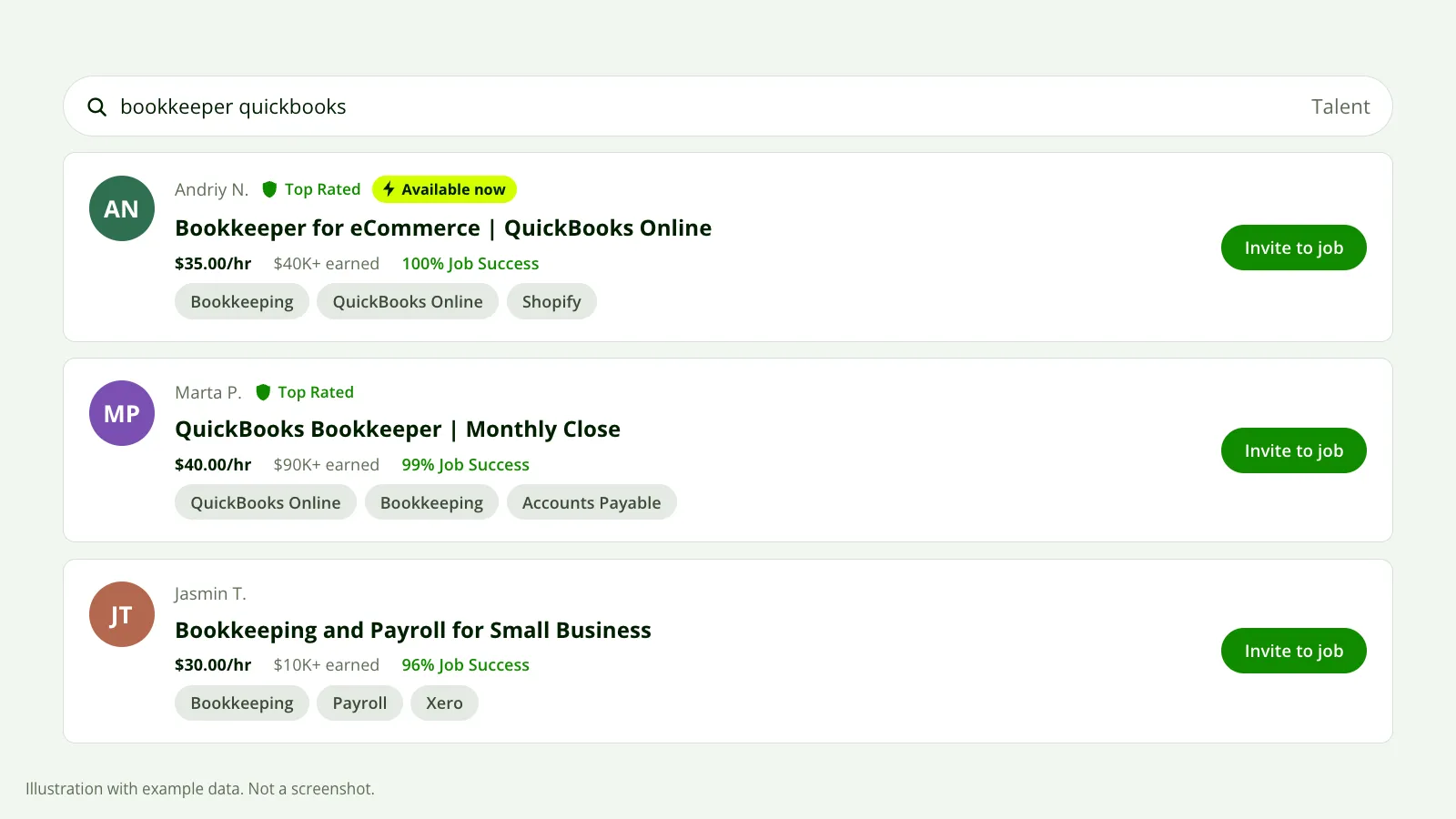 The badge adds a label to your card in search. It does not change which searches you match. Illustration with example data, not a screenshot.
Clients can tell it’s paid. Upwork says a lightning bolt icon sits next to the badge so they know it’s an advertisement.
Upwork also says the badge “can increase job invites by up to 70%”. Read that carefully. “Up to” describes the best case Upwork has seen, not what a typical profile gets, and Upwork doesn’t publish the typical case.
What it costs
You pay in Connects, by the week. The price isn’t fixed. Upwork says it moves with demand for the badge, so the number you saw last month may not be the number you see today.
You set the most you’re willing to spend in a week. If the price goes above your limit, Upwork pauses the badge and turns it back on when the price drops or when you have enough Connects again. You’re never charged more than the limit you set.
The Connects come out gradually, not in one lump. Upwork’s own example is a badge priced at 14 Connects for the week, taken as 2 Connects every 24 hours.
That figure is Upwork’s illustration, not today’s price, so check the number shown in your own account before you decide. Connects cost $0.15 each, which makes the arithmetic easy: multiply the weekly price you’re shown by 0.15 and you have the cost in dollars.
If the badge won’t turn on at all, the two reasons Upwork gives are a profile set to private and a Connects balance that’s too low.
Badge vs boosted profile
These get mixed up because both are paid with Connects and both are sold as visibility. They work differently.
| Availability badge | Boosted profile | |
|---|---|---|
| What changes | A label on your card and profile | Where you appear: a promoted spot in search results and recommendations |
| What clients see | “Available now” with a lightning bolt | A “Boosted” label next to your name |
| How you pay | A weekly price that moves with demand | Per interaction, at a bid you set |
| What triggers a charge | Having the badge on | A client clicks your profile, saves it, invites you, hires you or watches your profile video |
| Your limit | A weekly maximum | A bid per click, plus a daily or total limit |
| What decides where you show | Nothing new. You show where you already did | An auction on bid price and relevance |
The last row matters most. Upwork describes the boost as an auction run when a client views a relevant search page, decided on bid price and relevance. As we read that, a boost buys a better position in searches your profile is already relevant to. It doesn’t enter you into new ones.
The badge is the more predictable cost, because you know the week’s price before you start. With a boost you pay for clicks, and a click from a client who was never going to hire you costs the same as one from a client who was.
Why it often does nothing
Invites come from three places: a client searching for talent, the suggested list Upwork shows right after a job is posted, and past clients coming back. The first two are matching. Upwork compares your title and skill tags with what the client typed or posted.
A badge or a boost changes how you’re shown, not which searches you match.
If your title says “Full-Stack Developer | WordPress | Shopify | UI/UX” and the client typed “Shopify speed optimization”, the badge has nothing to work with. You’re either not in those results or you’re deep in them, and a label on a card nobody scrolls to doesn’t earn invites.
The same goes for the “Available now” filter. It narrows a list you have to be on first.
When a profile gets no invites at all, the cause in our experience is almost always the match: a title that covers too much, skill tags picked from the freelancer’s vocabulary and not the client’s, and two opening lines that say nothing. Why you’re not getting invites walks through those in order, and choosing profile skills covers the tags.
There’s a second case. You get profile views but no invites. Here clients do find you, look, and leave, and a badge can plausibly help a little, because “available now” is one more reason to pick you over the next card. It won’t fix a rate that’s out of line or a weak portfolio, which is usually what’s behind views with no invites.
What independent tests found
Not much, and what exists is old. One Expert Vetted freelancer published a month of tests in 2024: no invites in the week with the badge, and no invites in the week without it either. Another freelancer’s boosted profile test from 2023 ended with a handful of impressions and no clicks.
Those are two people, in two niches, years ago. They don’t prove the badge is useless any more than “up to 70%” proves it works. They do tell you that nobody else’s result predicts yours, so the only test worth anything is your own.
How to test the availability badge
Run this only after your title and skills match the work you want. Otherwise you’re measuring the wrong thing.
Write down two weeks of numbers
Before you turn anything on, note your invites and profile views for the last two weeks from your Upwork stats. Also note how many of those invites were for work you’d take.
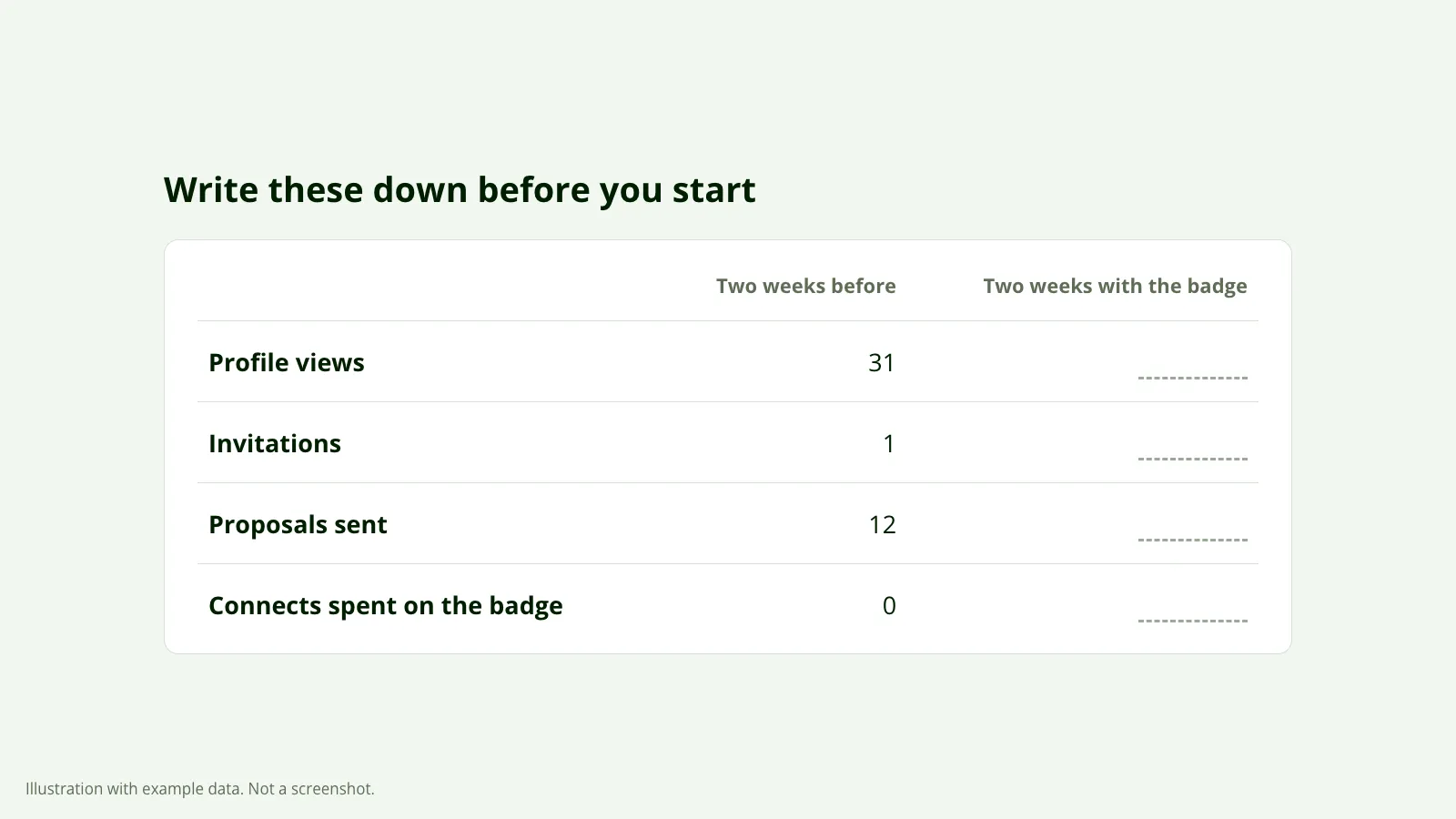 The four numbers to record before turning the badge on, and again after two weeks.
Turn the badge on with a low limit
Set the weekly maximum at or just above the price you’re shown. If the price climbs past it, the badge pauses, and you’ve lost nothing.
Change nothing else
Leave your title, overview, skills and rate alone for the two weeks. If you edit the profile during the test, you can’t tell the edit from the badge.
Compare after two weeks
Put the two periods side by side: views, invites, and invites that fit. Then count the Connects you spent and convert them to dollars.
Decide on the numbers
If invites that fit went up and one of them is worth more than the Connects, keep it. If nothing moved, turn it off. Two weeks is a small sample, so a difference of one invite either way tells you nothing.
To test a boost the same way, run it on its own afterwards, with a low bid and a total limit, and never alongside the badge.
What we’d do first
Fix what’s free before paying for what isn’t. One of Nikola’s clients, Danilo, gets 23 invites in a week without boosting. That isn’t a promise for your profile. It’s a reason to look at the profile before the Connects.
Our free report checks the part a badge can’t change: your score, how you compare with your niche, and what’s costing you invites, in order. You connect through Upwork’s official connection, which is read-only, and the report reaches your inbox in about 10 minutes.
