



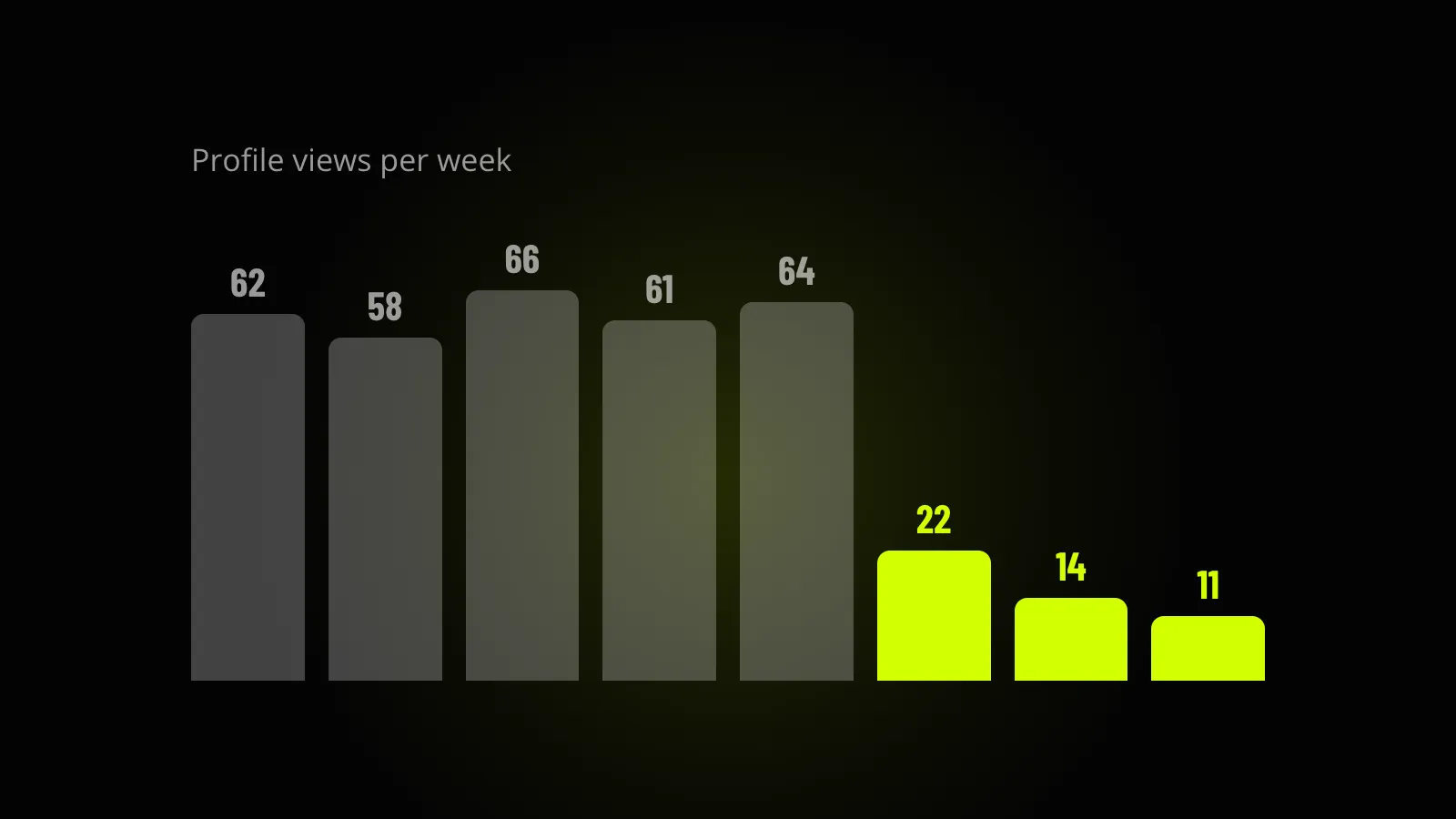
If your Upwork profile views dropped and you went looking for a reason, you probably ended up on Reddit. The answers there are theories: Upwork is pushing older profiles down, you stopped applying so you got hidden, the algorithm changed again. Some of that might be true. None of it can be checked.
Rule out everything with a yes or no answer before you spend a minute on the causes nobody can prove.
The six checks below go in that order. First the settings Upwork documents, then what you can test yourself in an afternoon, then the guesses.
Settings with a yes or no answer
Look at your visibility setting
Go to your profile, open Profile settings and find the Visibility section. Upwork gives you three options:
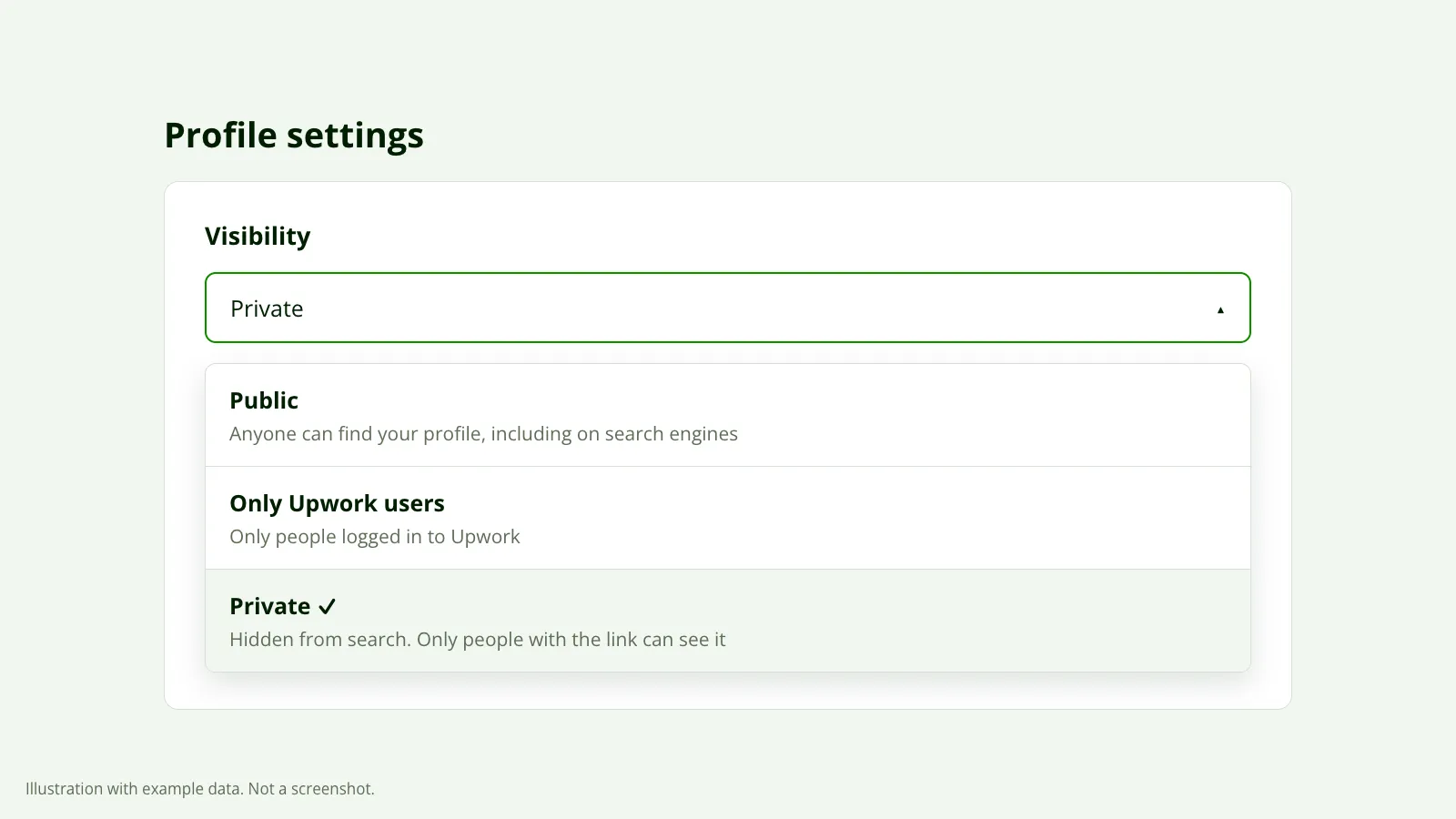 The three visibility options. Private hides the profile from search. Illustration with example data, not a screenshot.
| Setting | Who can find you |
|---|---|
| Public | Anyone, including people who aren’t on Upwork. Your profile can show up on Google. |
| Only Upwork users | Logged-in Upwork members only. Not search engines. |
| Private | Nobody through search, on Upwork or off it. Only someone who is logged in and has your direct link. |
If it says Private, that’s your answer. A private profile gets no views from search because it isn’t in search.
Change it and then wait. Upwork says updates can take up to 24 hours, so don’t judge the fix the same evening.
If you work through an agency as an exclusive member, you may not be able to change this yourself. Upwork’s agency help page says the agency’s owner and admins control visibility for exclusive members, so ask them.
Find out if Upwork made you private
Upwork sets inactive profiles to private on its own, and it says why: to keep search results relevant for clients. The rule on its help page has two parts.
- Established freelancers: two years with no earnings.
- New freelancers: no earnings within 90 days of the first proposal, or no proposal at all in the first 90 days.
You’ll see advice on forums that Upwork hides you when you stop sending proposals. For anyone with a work history, that isn’t the rule. It’s earnings, over two years. If you’ve been paid for work on Upwork in that time, this didn’t happen to you and you can move on.
If it did happen, the fix is small. Upwork says logging out and back in resets your visibility to what you had before, and you can also set it by hand in Profile settings. A Freelancer Plus membership stops it from happening again. You can still send proposals while private, and a client you apply to can still open your profile. You just aren’t in search.
Check what you were paying for
Two paid features put you in front of clients, and both run on Connects with a limit.
A boosted profile shows in promoted spots in search. It stops when you hit the Connects limit you set or reach the end date you chose. If your views fell on the day a boost ran out, you’ve found the cause. The impressions and clicks on your stats page only count boosted placements, so they go quiet at the same moment.
The availability badge works differently. Upwork says it doesn’t change where you appear in search results, but clients can filter for freelancers who have it. If yours switched off, you’ve left those filtered searches. We go into whether it’s worth the Connects in the availability badge post.
Things you can test yourself
Search for yourself as a client
Open a client account and type what your ideal client would type. Note which page you’re on, or whether you’re there at all. The first step in why you’re not getting invites walks through it.
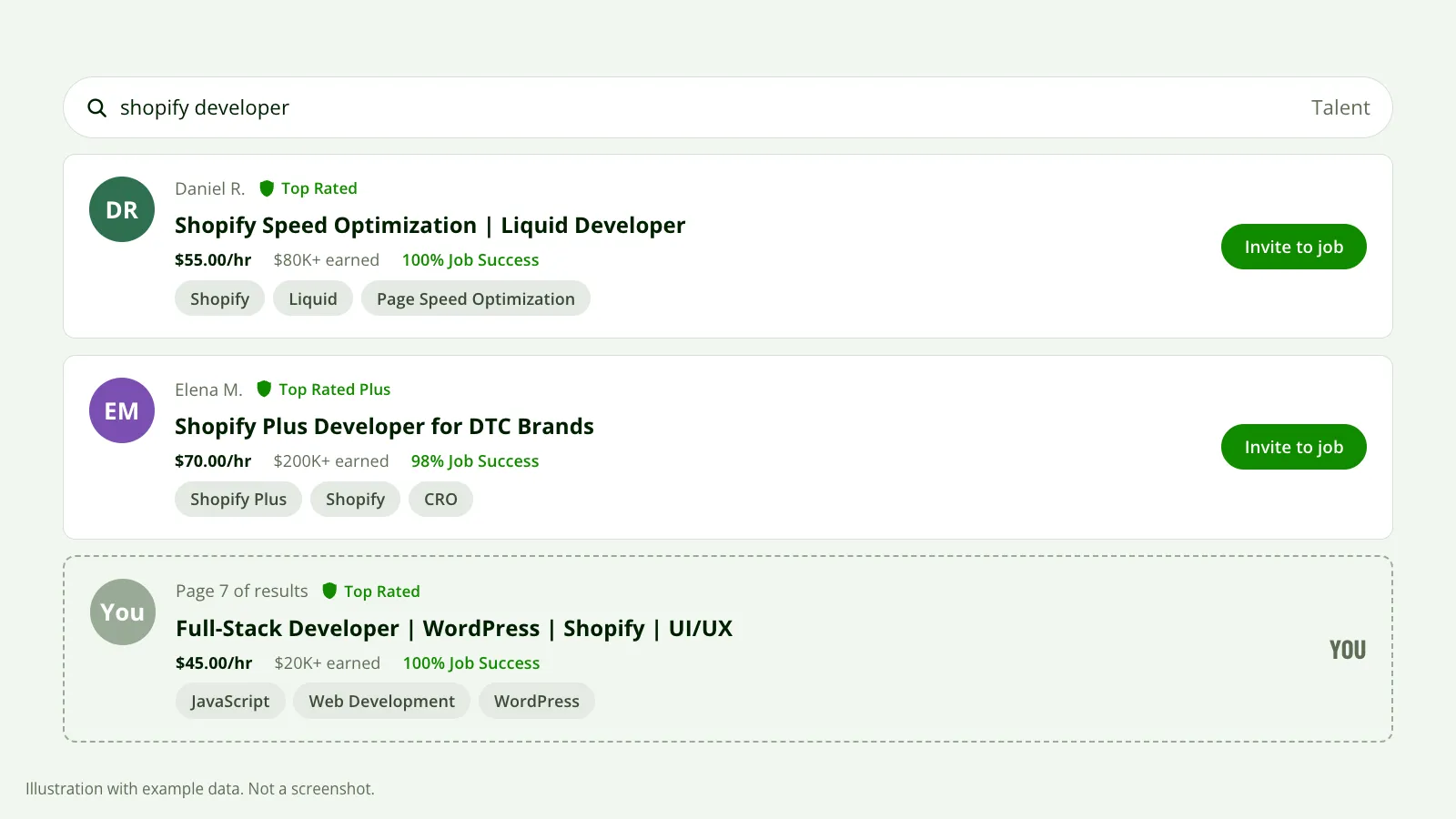 Searching as a client shows whether you still come up, and where. Illustration with example data, not a screenshot.
Do it for three or four phrases, not one. Then write the positions down with the date. Next month you’ll have something to compare against, which is more than your memory of “I used to be on page one”.
If you’re on the first page for your main phrase and views are still down, your position probably isn’t the problem. More likely fewer clients are typing that phrase, and that belongs in the last section.
Look for a change you forgot about
“I changed nothing” is rarely quite true. In our experience, one of these usually sits a week or two before the drop:
- A title edit. You added a second service or swapped a word. Search matches your title against what the client typed, so one word can take you out of the searches that were sending views.
- Skill tags. You removed a tag that looked redundant, or replaced specific tags with broader ones.
- Your rate. Clients filter by hourly rate. Raise it past a common cut-off and you’re out of those results.
- A contract that ended. A profile with work in progress and one whose last job closed months ago don’t look the same to a client.
Upwork doesn’t publish how much any of these weigh, and we won’t pretend to know. What you can do is undo the edit and watch the next 30 days.
What nobody can prove
Accept what’s out of your hands
Some drops have no cause on your side. Demand in a category moves. The kind of client who searched for your service last spring may have stopped hiring for it. More freelancers enter with the same title, and the same number of client searches now gets split more ways.
Upwork also changes its search and doesn’t announce the details. You’ll never be able to confirm that a change hit you, which is exactly why this comes last. People reach for it first, and it’s the one explanation that leaves them nothing to do.
“Upwork is suppressing my profile” belongs here too. We can’t prove it never happens. In the profiles we’ve looked at, the cause was almost always further up this list.
How long before you judge
Upwork says stats typically update within 24 hours, so yesterday’s number can be incomplete. A profile view is a person who checked out your profile, and people don’t arrive on a schedule. One quiet week doesn’t tell you anything.
Compare a full month with the month before, and with the same month last year if you have it. In our experience many categories slow down in late December and in August. A drop that shows up every year at the same time isn’t something your profile did.
If views have come back and invites haven’t, you have a different problem, covered in profile views but no invites.
What the report checks
The settings in the first section take ten minutes and you should do them by hand. The slower part is knowing whether your title, tags and rate still fit what clients in your niche search for.
That’s what our free report looks at. You connect through Upwork’s official connection, which is read-only, and about 10 minutes later you get an email with your score, how you compare with your niche, and what’s costing you invites, in order.
